

Effective project management is vital for small businesses. It ensures tasks are completed on time and within budget.
For small business owners, juggling multiple tasks can be overwhelming. You need tools that streamline processes, enhance productivity, and keep your team on track. Project management tools can be lifesavers. They help you organize tasks, manage resources, and track progress.
But with so many options out there, finding the right tool can be a challenge. The good news? There are several user-friendly and affordable options designed for small businesses. In this post, we’ll explore the best project management tools tailored to your needs. Whether you need simple task management or advanced features, there’s something for everyone. Let’s dive in and find the perfect tool for your business.
Criteria For Selection
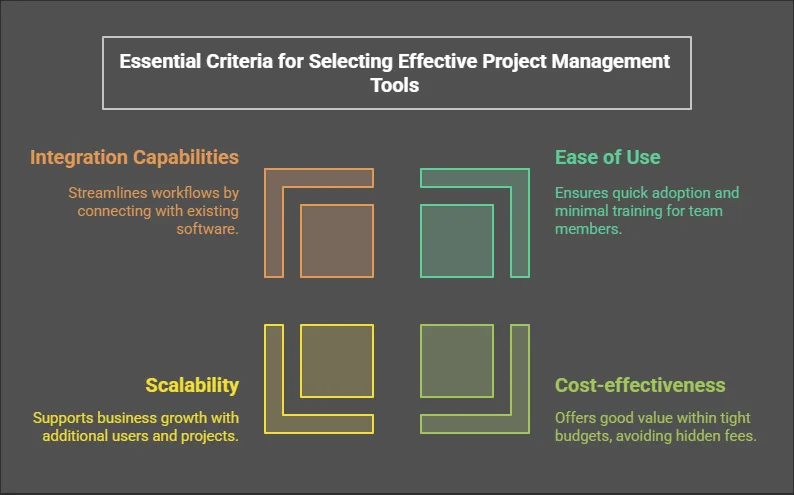
Choosing the best project management tools for small businesses requires careful consideration. Each tool offers unique features and benefits. Focusing on specific criteria can help make the selection process easier and more effective. Here are the key criteria to consider:
Ease Of Use
The tool should be intuitive and easy to navigate. This ensures that team members can start using it with minimal training. A user-friendly interface saves time and reduces frustration. Look for drag-and-drop features and simple dashboards.
Cost-effectiveness
Small businesses often operate with tight budgets. The chosen tool should offer good value for money. Compare the cost of different tools and their features. Look for free versions or affordable plans that suit your needs. Avoid tools with hidden fees or complex pricing structures.
Scalability
Consider the future growth of your business. The tool should be able to grow with your team. Look for features that support additional users and projects. Ensure the tool can handle increased workloads without compromising performance.
Integration Capabilities
The tool should work well with other software you use. Integration with email, calendars, and file storage can streamline workflows. Check if the tool offers APIs or pre-built integrations with popular apps. This reduces the need for manual data entry and improves efficiency.
Trello

Trello is a popular project management tool loved by many small businesses. Its user-friendly interface and visual boards make it easy to organize tasks. Trello helps teams stay on the same page and manage their projects efficiently.
Features
Trello offers a range of features that make project management simple. The main feature is the Kanban board where you can create lists and cards. Each card represents a task. You can move cards from one list to another as tasks progress.
Other features include due dates, labels, and attachments. You can also assign tasks to team members. Trello integrates with many other tools like Slack, Google Drive, and Dropbox.
Pros And Cons
Trello has many advantages. It is easy to use and very visual. You can start using it without any training. It is also flexible and can be used for various types of projects.
But there are some downsides. Trello may not be suitable for very complex projects. It lacks advanced reporting and time-tracking features. The free version has limited features, so you might need to upgrade.
Best Use Cases
Trello is best for small teams and simple projects. It works well for task tracking, content planning, and event planning. It is also great for personal projects and to-do lists.
Small businesses can use Trello for managing marketing campaigns, product launches, and customer support tasks. It helps keep everyone aligned and tasks organized.
Asana
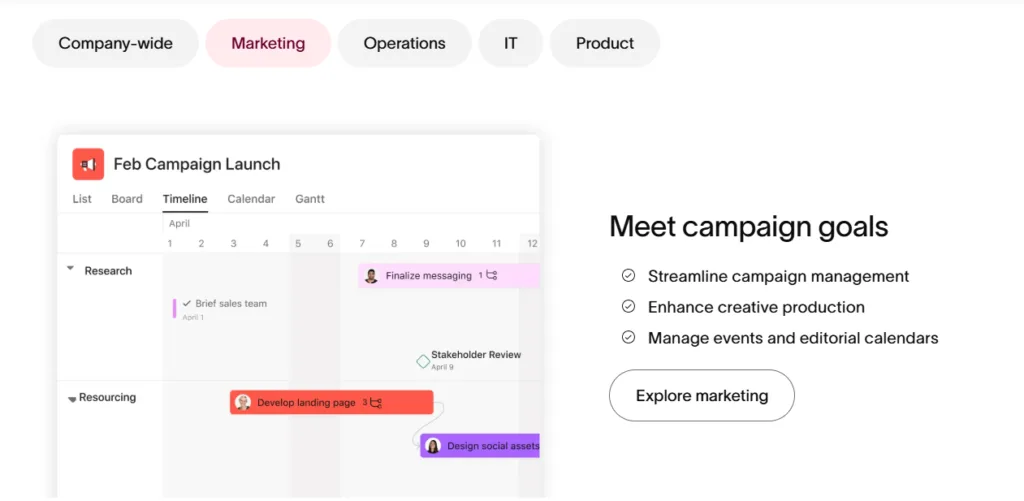
Asana stands out as an excellent project management tool for small businesses. It offers task tracking, team collaboration, and deadline management in a user-friendly interface.
Asana is a popular project management tool. It helps small businesses organize tasks. Teams can collaborate efficiently. Asana offers a user-friendly interface. It simplifies project tracking. Small business owners find it valuable.
Features
Asana has many features. Task assignments are clear. Users can set deadlines and priorities. There are project templates. These templates save time. Asana supports file attachments. Team members can share documents. There is also a calendar view. It helps with scheduling. Asana offers integration. You can connect other apps.
Pros And Cons
Asana has several pros. It is easy to use. The interface is intuitive. Collaboration is simple. Teams communicate well. It is flexible. Suitable for various projects. Asana also has cons. It can be costly. The free plan has limits. New users face a learning curve. It may take time to adapt. Advanced features are complex. They need more training.
Best Use Cases
Asana works well for small teams. Marketing projects benefit greatly. Task tracking is essential. It suits event planning. Coordinating tasks is easier. Asana is good for product launches. Tracking progress ensures success. It helps in content creation. Writers and editors stay organized. It is useful in customer support. Teams handle queries efficiently.

Credit: zapier.com
Monday.com
Monday.com is a leading project management tool. It’s popular among small businesses. The platform offers a range of features to streamline work processes. It’s designed to enhance productivity and team collaboration. Let’s dive into what makes Monday.com a great choice.
Features
Monday.com provides a user-friendly interface. It allows easy tracking of tasks and projects. You can customize workflows to fit your needs. The platform supports integrations with various apps. These include Slack, Google Drive, and more. It also offers automation to save time on repetitive tasks. Real-time collaboration ensures everyone stays on the same page.
Pros And Cons
Monday.com has many pros. It is easy to use and set up. The customizable workflows are a big plus. Integrations with other tools are seamless. Automation helps in reducing manual work. Real-time updates keep everyone informed.
There are also some cons. The pricing can be high for small teams. It may take time to learn all features. Some users find the mobile app less intuitive. Limited offline access can be a drawback.
Best Use Cases
Monday.com works well for project management. Small businesses can use it for task management. Marketing teams can track campaigns and deadlines. HR teams can manage recruitment processes. Product development teams can plan and execute projects. Customer support teams can track issues and resolutions. The platform is versatile and fits various needs.
Basecamp
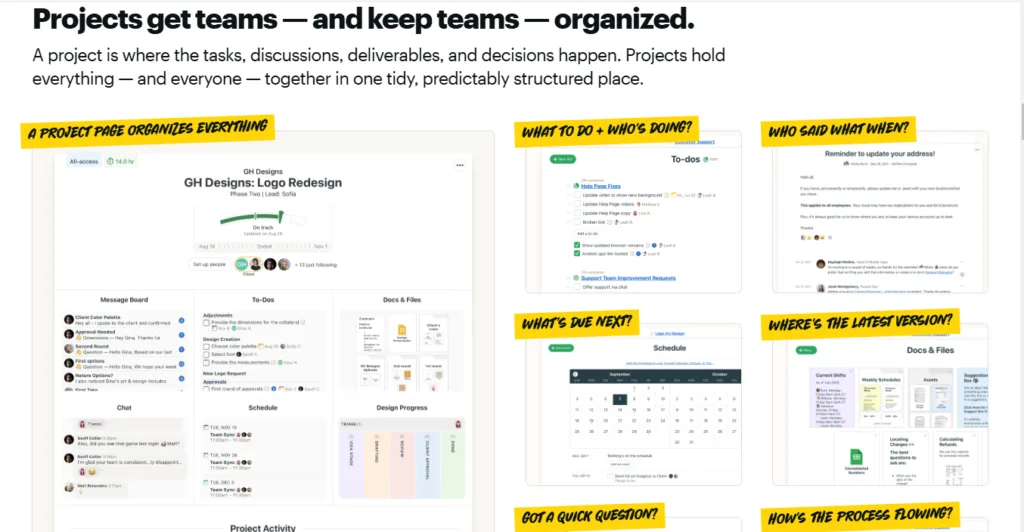
Basecamp is a popular project management tool. Many small businesses use it to organize tasks and collaborate. It offers a simple interface and various features. Let’s dive into what makes Basecamp a good choice.
Features
Basecamp offers many useful features. These include to-do lists, file sharing, and message boards. You can also set up schedules and milestones. The tool integrates with email to keep everyone updated. It supports real-time group chat, which helps team communication.
Pros And Cons
Basecamp has several pros. It is easy to use, even for beginners. The interface is clean and simple. It offers good collaboration tools. The tool is also affordable for small businesses.
But there are some cons too. Basecamp lacks advanced reporting features. It also does not offer time-tracking tools. Some users may find it too basic for complex projects.
Best Use Cases
Basecamp works best for small teams. It suits projects that need simple task management. Teams that need strong communication will benefit. It is also good for remote teams needing a central hub. Businesses looking for an easy-to-use tool will find it helpful.

Credit: stewartgauld.com
Wrike
Wrike offers powerful project management tools tailored for small businesses. Its features include task tracking, collaboration, and time management. It helps teams stay organized and efficient.
Wrike is a popular project management tool. It helps small businesses manage tasks efficiently. Wrike provides a collaborative environment. It allows teams to stay organized and meet deadlines.
Features
Wrike offers robust features for project management. It has task management tools. You can create, assign, and track tasks. Wrike includes a Gantt chart. This helps visualize project timelines. Real-time updates keep everyone on the same page. Wrike also has customizable dashboards. These help monitor project progress. Wrike integrates with many other tools. Examples are Google Drive and Slack.
Pros And Cons
Wrike has many benefits. It is user-friendly. Small businesses can use it easily. Wrike offers excellent collaboration tools. Teams can communicate effectively. It also has strong reporting features. You can generate detailed project reports.
But there are some drawbacks. The free plan is limited. Advanced features require a paid plan. New users may find it complex. Training might be necessary.
Best Use Cases
Wrike suits various small business needs. It is great for marketing teams. They can manage campaigns and track deadlines. Wrike is also useful for IT departments. They can handle software development and bug tracking. Consulting firms benefit too. They can manage client projects and deliverables. Wrike helps teams stay organized and productive.

Credit: blog.teamwave.com
Frequently Asked Questions
What Are The Best Project Management Tools For Small Businesses?
Small businesses can use tools like Trello, Asana, Monday. com, and Basecamp. These tools help manage tasks and projects.
How Can Trello Help In Project Management?
Trello uses boards, lists, and cards. It helps organize and manage tasks visually. Easy for small teams.
Why Choose Asana For Small Business Projects?
Asana is simple and effective. It helps track tasks, deadlines, and project progress. Good for team collaboration.
What Features Does Monday.com Offer?
Monday. com offers customizable workflows, timelines, and task tracking. It improves team communication and project visibility.
Is Basecamp Suitable For Small Teams?
Yes, Basecamp is great for small teams. It organizes tasks, files, and messages in one place. Easy to use.
Can These Tools Improve Team Productivity?
Yes, these tools streamline tasks, improve communication, and manage deadlines. They help teams stay organized and productive.
How Do I Choose The Right Project Management Tool?
Consider your team’s size, budget, and specific needs. Try free trials to see which tool fits best.
Conclusion
Choosing the right project management tool can greatly benefit your small business. These tools help streamline tasks, improve team collaboration, and track progress. Each tool offers unique features tailored to different needs. Assess your business requirements and budget. Then, select a tool that aligns with your goals.
Effective project management leads to better productivity. Ultimately, the right tool saves time and reduces stress. Try out a few options before making your final decision. Happy managing!


